 One Dev Shop
Comparison
Docket vs GitHub Issues
GitHub Issues tracks work next to one repository's code. Docket tracks every app you ship, including the parts that are not code.
 Our appDocket is the one we make. Pick it if you want tasks, releases and launches for all your own apps in one native app.


 Apps of the Day
Apple Best New Apps
Product Hunt #1
by the same developer
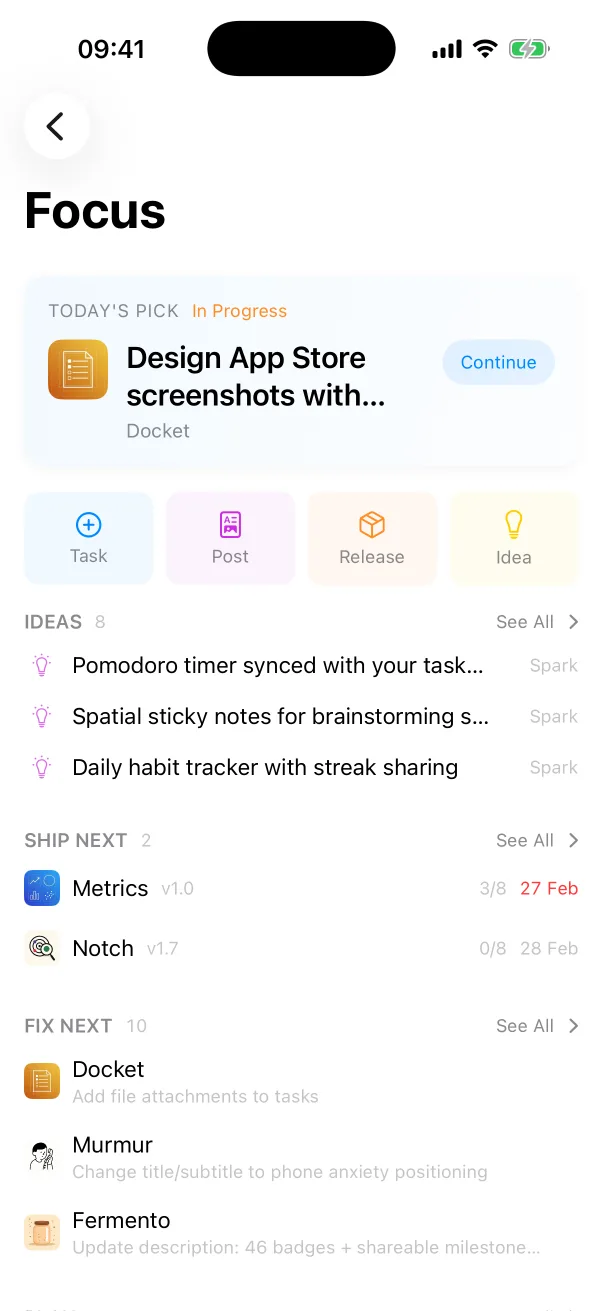
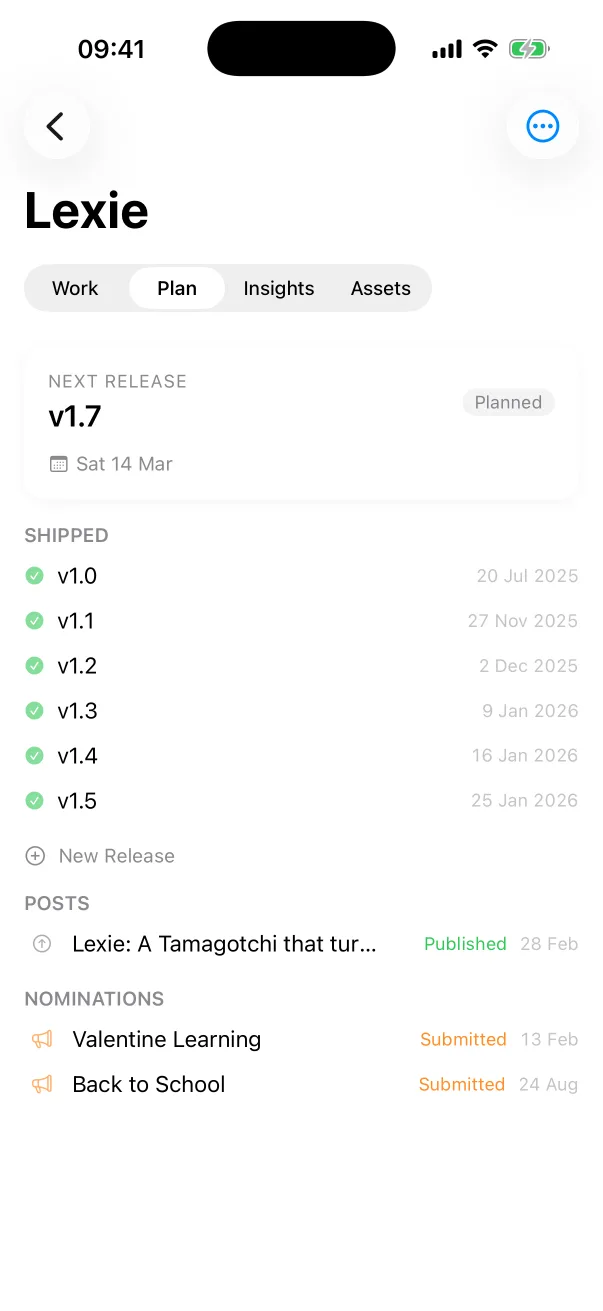
Docket on iPhone


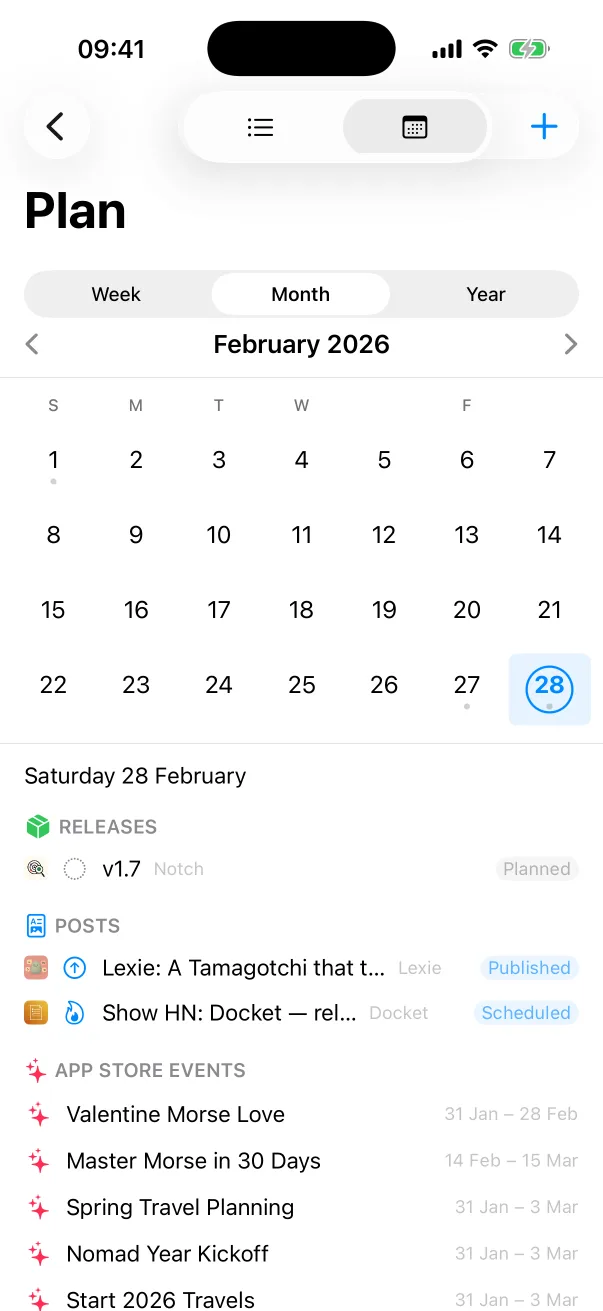
Facts checked on 11 November 2026.
The short answer
Docket keeps one backlog across all your apps, with releases, launch posts and App Store nominations beside the tasks. GitHub Issues tracks work next to a repository's code, with projects and pull requests.
Pick Docket if
- Your to-do list is more than code: screenshots, posts, nominations.
- You want one backlog across all your apps.
- You want a checklist that runs before every release.
Side by side
| Docket | GitHub Issues | |
|---|---|---|
| Built for | one developer shipping several apps | developers and teams who track work in the same place as their repositories |
| Where it runs | Mac, iPhone and iPad, as a native app | web, with desktop and mobile apps |
| Releases | versions from planned to shipped, each with the same pre-ship checklist | issues with labels and assignees, grouped into projects |
| Launch planning | blog posts, launches, featuring nominations and in-app events on one calendar with your releases | issues and projects, next to the code |
| Connects to | App Store Connect: your apps, in-app events and featuring nominations | repositories, pull requests and Actions |
| How you pay | free with one project; Docket Pro is a subscription for unlimited projects, iCloud sync, and the MCP server and CLI | free to start, with paid plans for individuals and teams |
What Docket is
Docket is a release tracker for developers who ship their own apps. It keeps tasks, releases with a pre-ship checklist, a launch calendar and app ideas for every project, syncs with App Store Connect, and includes an MCP server and a CLI for coding agents.
What GitHub Issues is
GitHub Issues and Projects track work next to the code: ideas become issues, issues are grouped into projects, and changes are discussed in pull requests. Agents connect through the GitHub MCP server, the API or the CLI.
Questions
Is Docket a good alternative to GitHub Issues?
Yes, if you want tasks, releases and launches for all your own apps in one native app. Docket keeps one backlog across all your apps, with releases, launch posts and App Store nominations beside the tasks. GitHub Issues tracks work next to a repository's code, with projects and pull requests.
What is the difference between Docket and GitHub Issues?
Docket is built for one developer shipping several apps. GitHub Issues is built for developers and teams who track work in the same place as their repositories.
How is Docket sold compared with GitHub Issues?
Docket: free with one project; Docket Pro is a subscription for unlimited projects, iCloud sync, and the MCP server and CLI. GitHub Issues: free to start, with paid plans for individuals and teams.
More comparisons
- Docket vs Linear
- Docket vs Trello
- Docket vs Jira
- Docket vs Notion
- Docket vs Things
- Best task trackers for solo developers
- All comparisons
We make Docket. What we say about GitHub Issues comes from its own pages, read on 11 November 2026: GitHub's own site, GitHub on the App Store. Spotted a mistake? Write to support@onedevshop.com. GitHub Issues belongs to its owner, and Docket is not affiliated with it.
Docket
Built by an indie developer, for indie developers
Docket is on the App Store, for Mac, iPhone and iPad.