Today's pick
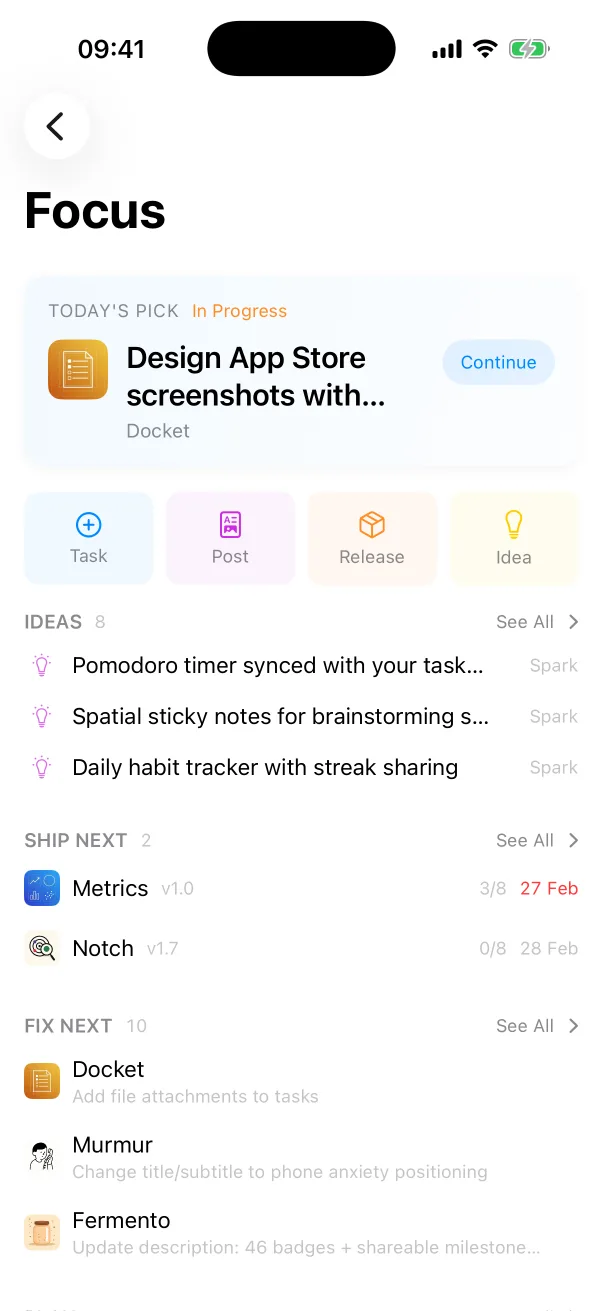
The Focus dashboard surfaces the one task that needs you now, above what ships next and what needs fixing.
One Dev Shop Docket
Think Trello or Jira, but for indie devs who ship their products solo. Comes with App Store Connect sync, MCP and CLI servers, and runs natively on macOS, iOS and iPadOS.

Free to download. The MCP server and the CLI are part of Pro.
The Focus dashboard surfaces the one task that needs you now, above what ships next and what needs fixing.
Each version moves from planned to shipped with the same pre-ship list, so the screenshots are never the step you forgot.
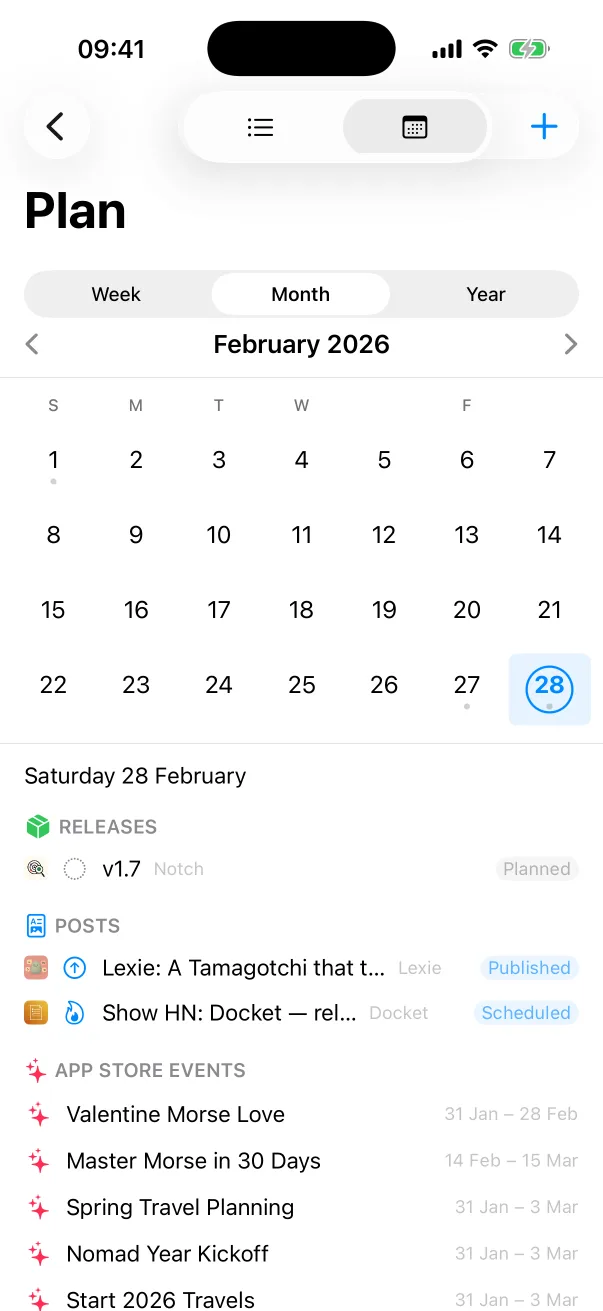
Blog posts, Product Hunt launches, App Store nominations and in-app events sit next to your releases.
Focus
The Focus dashboard surfaces today's pick: the one task that needs your attention now. Below it are your latest app ideas, what ships next, what needs fixing and your marketing queue.
Work
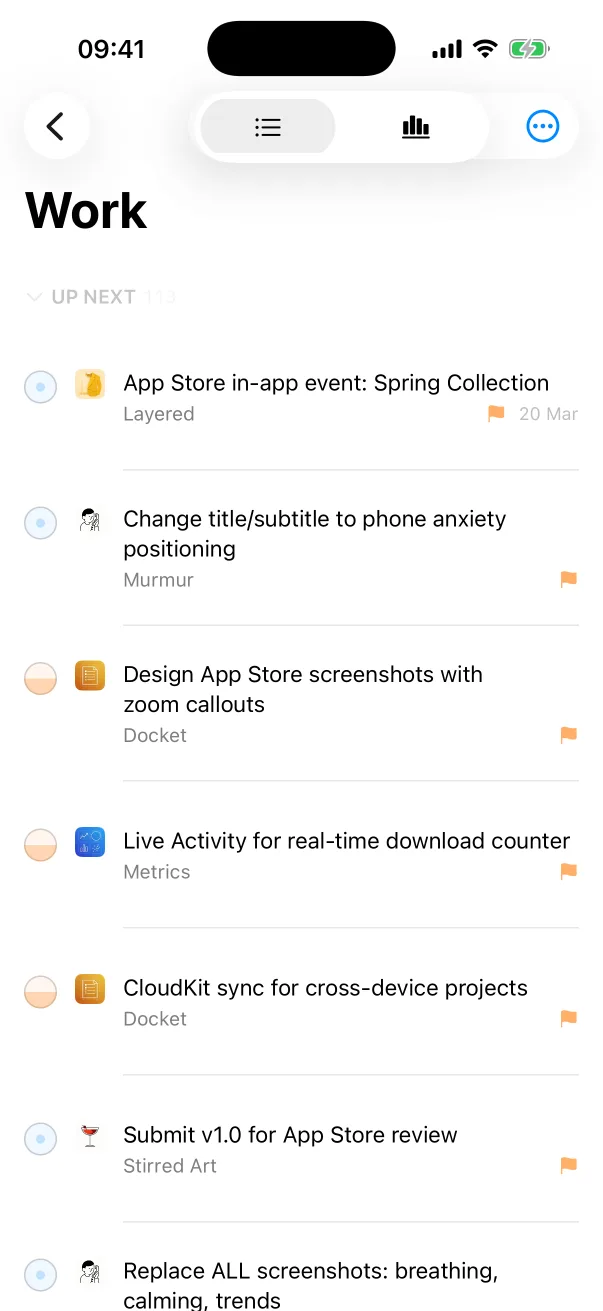
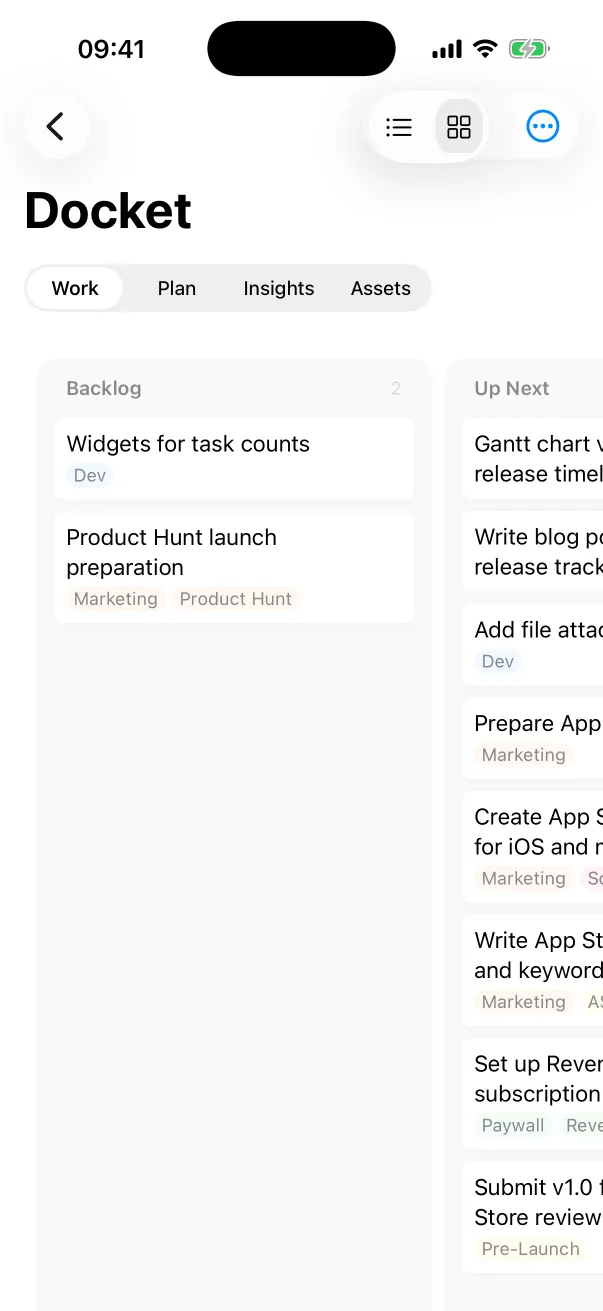
See tasks from every project together. Filter by project, tag or status, or switch to a Gantt view to see releases, events and deadlines on a timeline.
Metadata, in-app events, nominations and build status, for all your apps at once.
Anything the app does through its UI. An agent can read tasks, update status and check build state through MCP.
Scripted access to your backlog from the terminal. Useful in git hooks, CI scripts, or when you want to add a task without opening an app.
Jira, Trello and Linear are built for teams of engineers. Docket is built for a solo developer working with AI agents, which can read and update tasks directly through MCP.
Free to download. The MCP server and the CLI are part of Pro.