Up to 600% more simulators
Pitlane switches off the background services a simulator boots that your app never calls. Three or four simulators fit where one used to thrash.
One Dev Shop Pitlane

The Xcode replacement for indie devs: every iOS project in one window, up to 600% more simulators on the same Mac.
$29 once. One license covers two Macs. Free for 14 days, no card. Version 1.1.1, 2026-10-23.
Get three months free. The whole app, 90 days, no card. The key ships to your inbox in a minute.
Pitlane switches off the background services a simulator boots that your app never calls. Three or four simulators fit where one used to thrash.
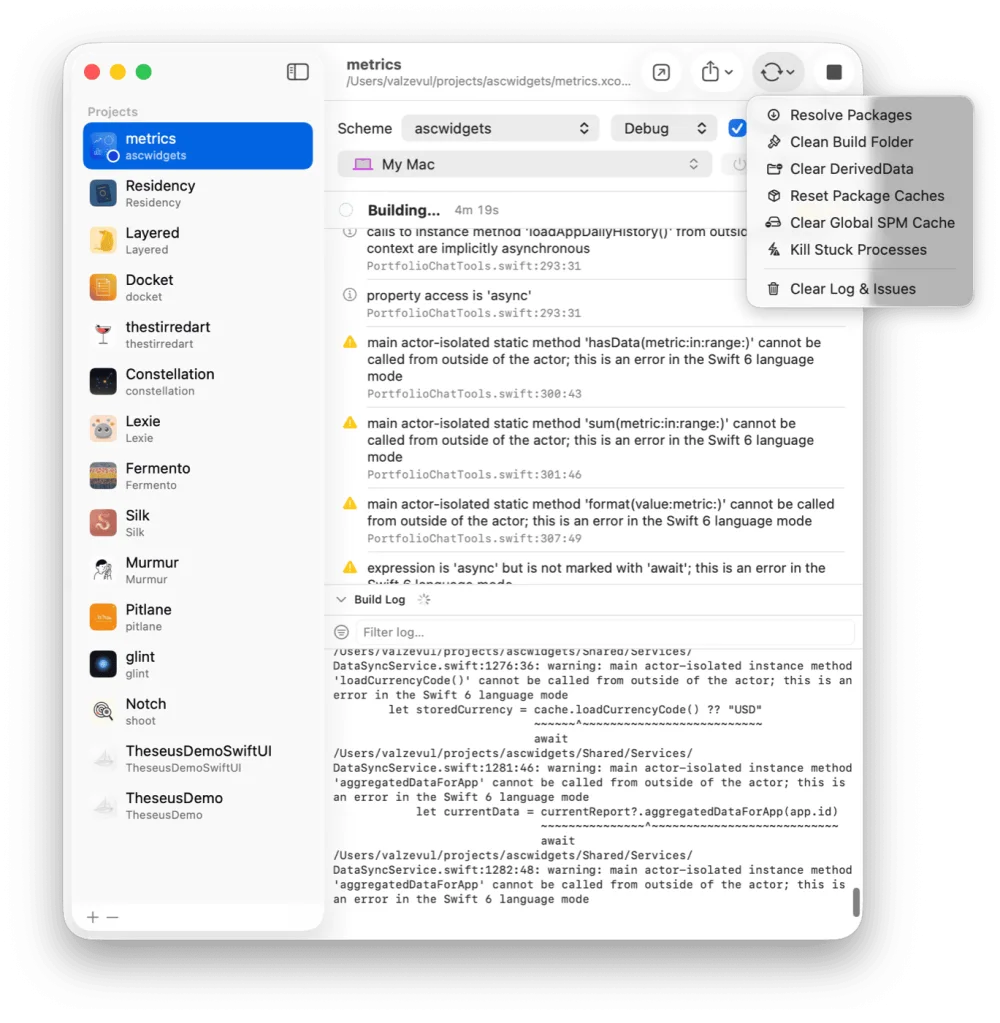
Output is parsed as it streams, so problems arrive as a list. Click one and Xcode opens at that line.
A stuck build gets the cheapest fix first. Pitlane works down the rungs and tells you what it cleared.
One window
Several apps on the go means an Xcode window for each, an indexer for each, and a Mac too busy to do anything else. Pitlane keeps the projects in a list and calls xcodebuild and simctl itself, so the only thing running is the build.
Each project remembers its own scheme, configuration and destination.
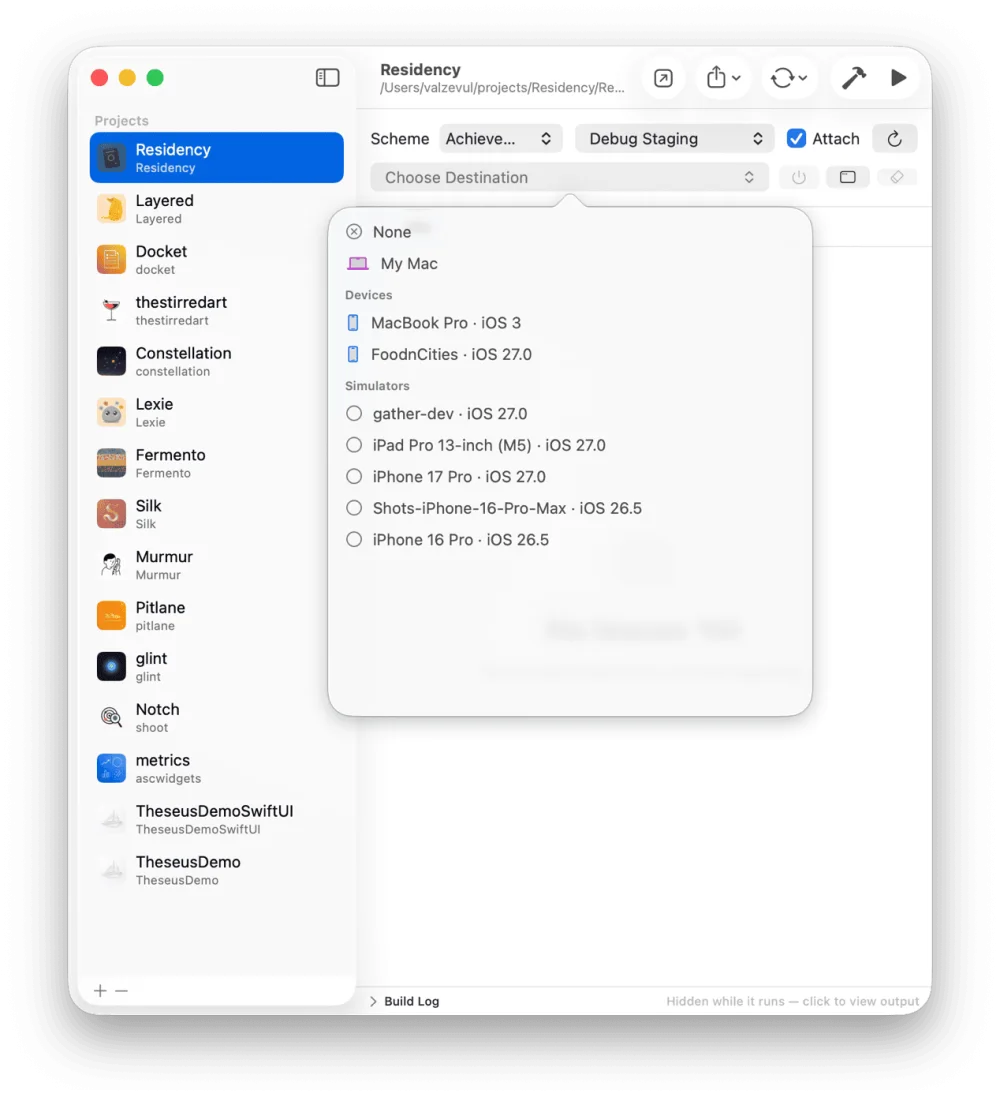
Simulators
Pitlane switches off the roughly 170 background services each simulator boots that your app will never call: Siri, Spotlight, News, photo analysis, iCloud sync. Three or four simulators now fit where one used to thrash.
The change sticks across reboots, and anything an app declares in its entitlements or Info.plist stays on. The sidebar shows every booted simulator with its process count and real memory footprint.
Pitlane replaces the Xcode window for the loop you repeat all day: pick a project, build, run it on a simulator or a cabled iPhone, archive when it's ready. Xcode itself stays installed, because Pitlane calls its xcodebuild and simctl, but it stays closed while you work. Edit in Cursor, Claude Code or Xcode; Pitlane handles the building and running.
Yes. Pitlane drives the Xcode you already have, a full install selected with xcode-select on macOS 14 or later, so the compiler, the simulators and the signing are Apple's own. It shares Xcode's DerivedData, so a build here and a Run in Xcode reuse the same cache.
Add them to Pitlane's sidebar. Each project remembers its own scheme, configuration and destination, builds can run side by side, and Pitlane idles at a few tens of megabytes, so the only thing costing RAM is the build itself.
Yes. While Pitlane runs it serves a small HTTP API on 127.0.0.1, loopback only. An agent can list your projects and simulators with their memory, start a build, read the parsed errors and warnings, launch the app and stop it: the same actions as the buttons, license gate included. curl 127.0.0.1:4747/ prints the usage text, and one switch in Settings turns the API off.
Reduce Simulator Memory in Pitlane switches off the roughly 170 background services a simulator boots that your app never calls: Siri, Spotlight, News, photo analysis, iCloud sync. Each simulator ends up two to four times smaller in memory, the change sticks across reboots, and anything your apps declare in their entitlements or Info.plist, from push to widgets to HealthKit, stays on. It needs an iOS 18 or newer runtime, and Restore Background Services puts a simulator back to stock.
$29 once. One license covers two Macs. Free for 14 days, no card.