 One Dev Shop
Compared
Best App Store Connect dashboards
Apps that show your App Store numbers on a phone, compared by who each is built for, what you see without opening it and how you pay.
 Our pickMetrics is the one we make, built for indie developers who want their App Store numbers at a glance.


 Apps of the Day
Apple Best New Apps
Product Hunt #1
by the same developer
Metrics on iPhone


Facts checked on 11 November 2026.
How we compared them
We read each one's own site and App Store page on 11 November 2026 and compared who it is built for, where it runs and how you pay. We make Metrics, so it is listed first.
3 App Store Connect dashboards
-
Metrics our pick
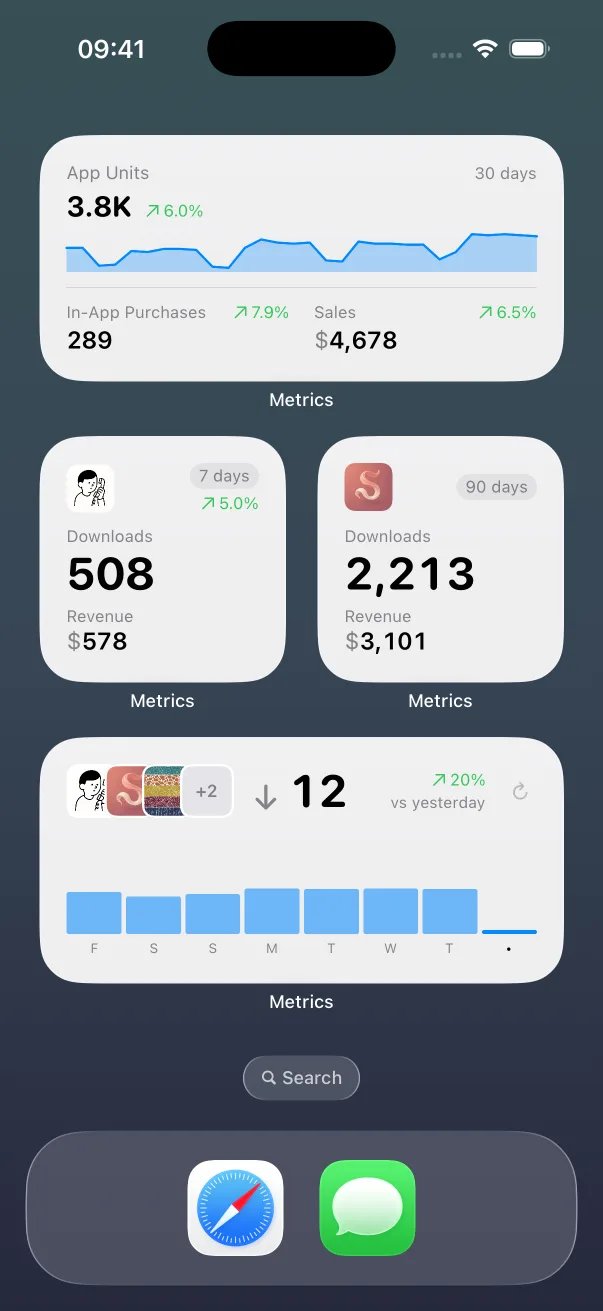
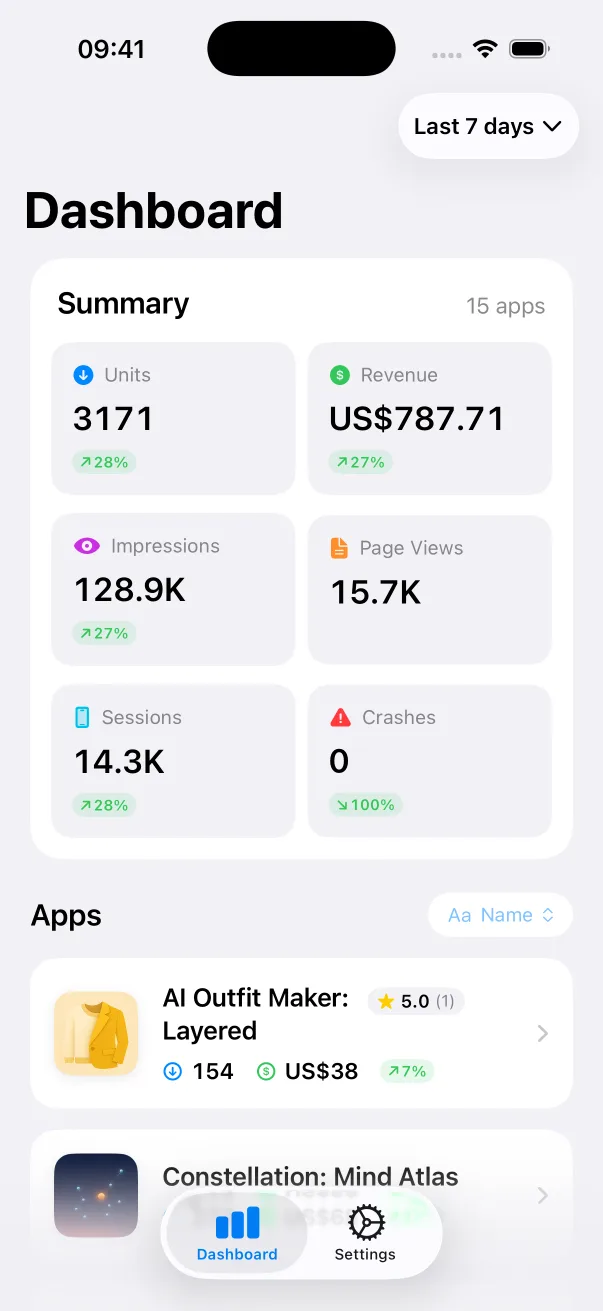
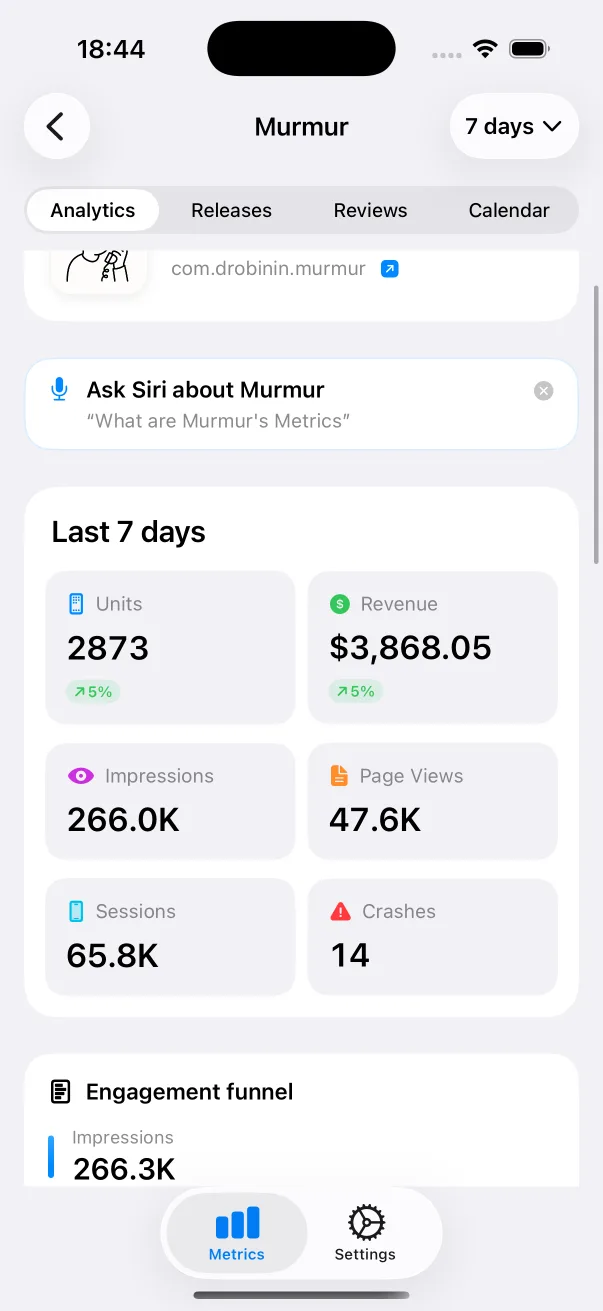
Metrics is a native App Store Connect dashboard for iPhone and iPad. It shows downloads, revenue, impressions, sessions and crashes for all your apps, and puts them in Home Screen and Lock Screen widgets and in Siri.
Built for: indie developers who want their App Store numbers at a glance. How you pay: free for one app; Pro is a subscription for unlimited apps.
-
App Store Connect
App Store Connect is Apple's own app for managing your apps on iPhone and iPad. It shows app status and submissions, TestFlight builds and testers, key sales and trends, and ratings and reviews you can reply to, with notifications for status changes.
Built for: developers managing submissions, TestFlight and reviews on the go. How you pay: free.
-
Appfigures
Appfigures is an app intelligence and analytics platform. It tracks downloads, revenue, subscriptions, ratings, reviews, ad revenue and ad spend across stores, with ASO tools and market data on other apps, and has a companion iPhone app with widgets and alerts.
Built for: app businesses that want analytics, ASO tools and market data in one platform. How you pay: a free Starter plan; paid plans, monthly or annual, track more apps and open the ASO and market tools.
At a glance
| App | Built for | Where it runs | How you pay |
|---|---|---|---|
| Metrics | indie developers who want their App Store numbers at a glance | on iPhone and iPad | free for one app; Pro is a subscription for unlimited apps |
| App Store Connect | developers managing submissions, TestFlight and reviews on the go | on iPhone and iPad | free |
| Appfigures | app businesses that want analytics, ASO tools and market data in one platform | the web, with a companion app for iPhone and iPad | a free Starter plan; paid plans, monthly or annual, track more apps and open the ASO and market tools |
How to choose
Start with what you want to check. If it is your own App Store numbers, several times a day, pick the app that puts them on the Home Screen and reads them straight from App Store Connect. That is Metrics.
Questions
What are the best App Store Connect dashboards?
Metrics, if you want your App Store numbers on the Home Screen and Lock Screen, read straight from App Store Connect. The others we compared are App Store Connect and Appfigures.
Who is Metrics built for?
Metrics is built for indie developers who want their App Store numbers at a glance.
How did you compare them?
We read each one's own site and App Store page on 11 November 2026 and compared who it is built for, where it runs and how you pay. We make Metrics, so it is listed first.
More comparisons
We make Metrics. What we say about the other apps comes from their own pages, read on 11 November 2026: App Store Connect on the App Store, Appfigures' own site and pricing page. Spotted a mistake? Write to support@onedevshop.com. We are not affiliated with any of them.
Metrics
Stop refreshing App Store Connect
Metrics is on the App Store, for iPhone and iPad.